Management UI tour
The device ships an optional built-in single-page control UI, served by displayd itself at
http://10.99.0.1/ — no extra software to install, just open that address in a browser on the
host. It's a convenience layer over the same control API covered by the
rest of this documentation: every screen below just calls the REST endpoints already documented
in the guides, so if a control here does something you don't
recognize, the matching guide page explains the underlying call.
It's on by default (ui.enabled: true); see
Configuration → Management UI toggle to turn
it off (e.g. to serve only /api/v1 on a locked-down deployment). Screenshots below are
from a virt/generic development device (hence the "board unsupported" banners on the Wi-Fi/
Bluetooth/NFC pages) — the layout and controls are identical on real hardware, only the live
values and capability gating differ.
Every page shares the same layout: a left sidebar with one entry per screen, and a status strip
at the top (online/offline, device name · model · slot, browser status) that stays visible no
matter which page you're on.
Dashboard
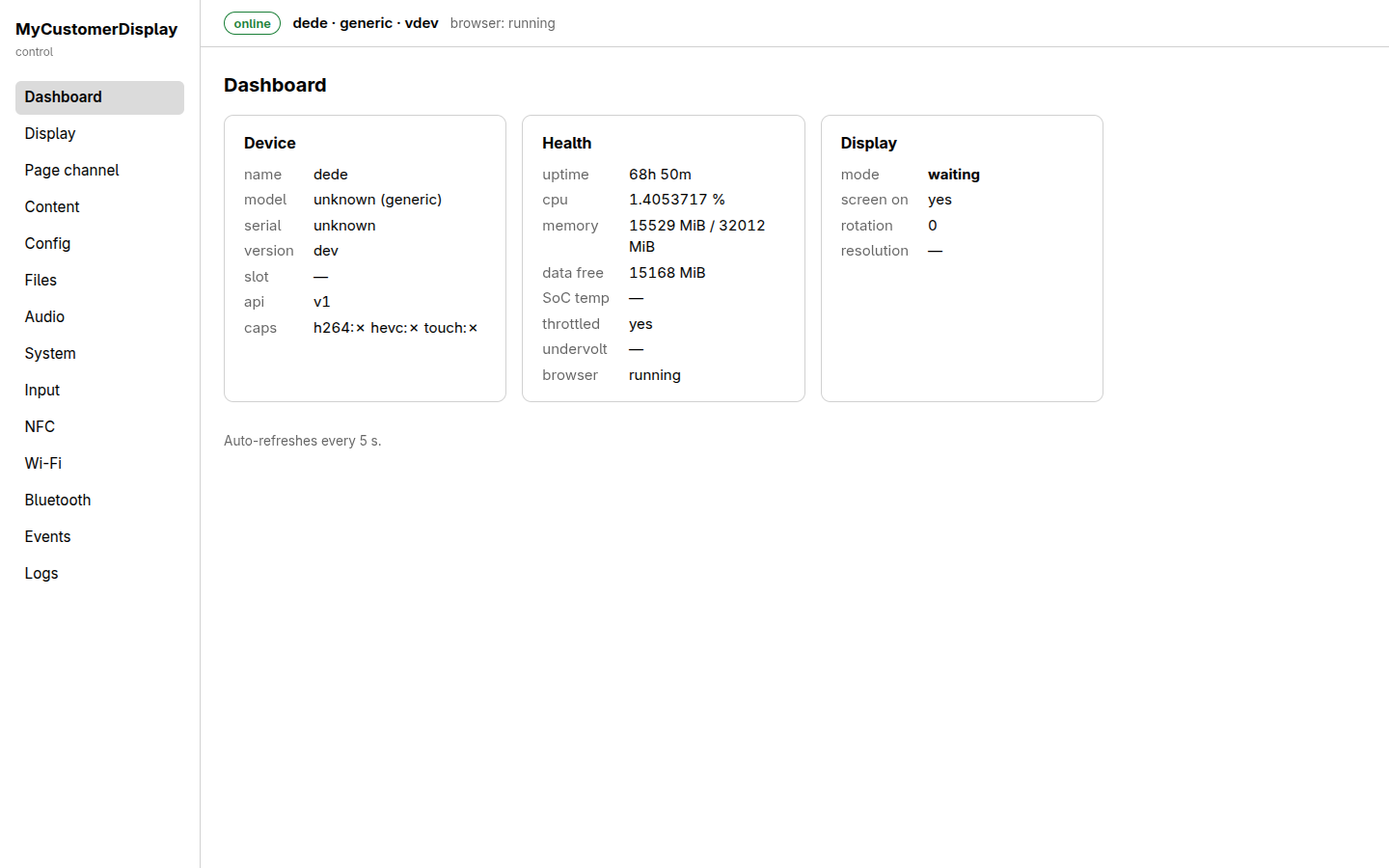
The landing page — a read-only, auto-refreshing (every 5 s) overview, useful as a first glance at device health without navigating anywhere:
- Device card: name, model/board profile, serial, agent version, active OTA slot, API
version, and capability flags (
h264,hevc,touch). - Health card: uptime, CPU/memory usage, free space on
/data, SoC temperature, throttling/ undervoltage flags, and whether the kiosk browser process is running — the same data asGET /device/health. - Display card: current mode (
waiting/url/bundle), screen power state, rotation, and resolution — the same shape asGET /display.
Display
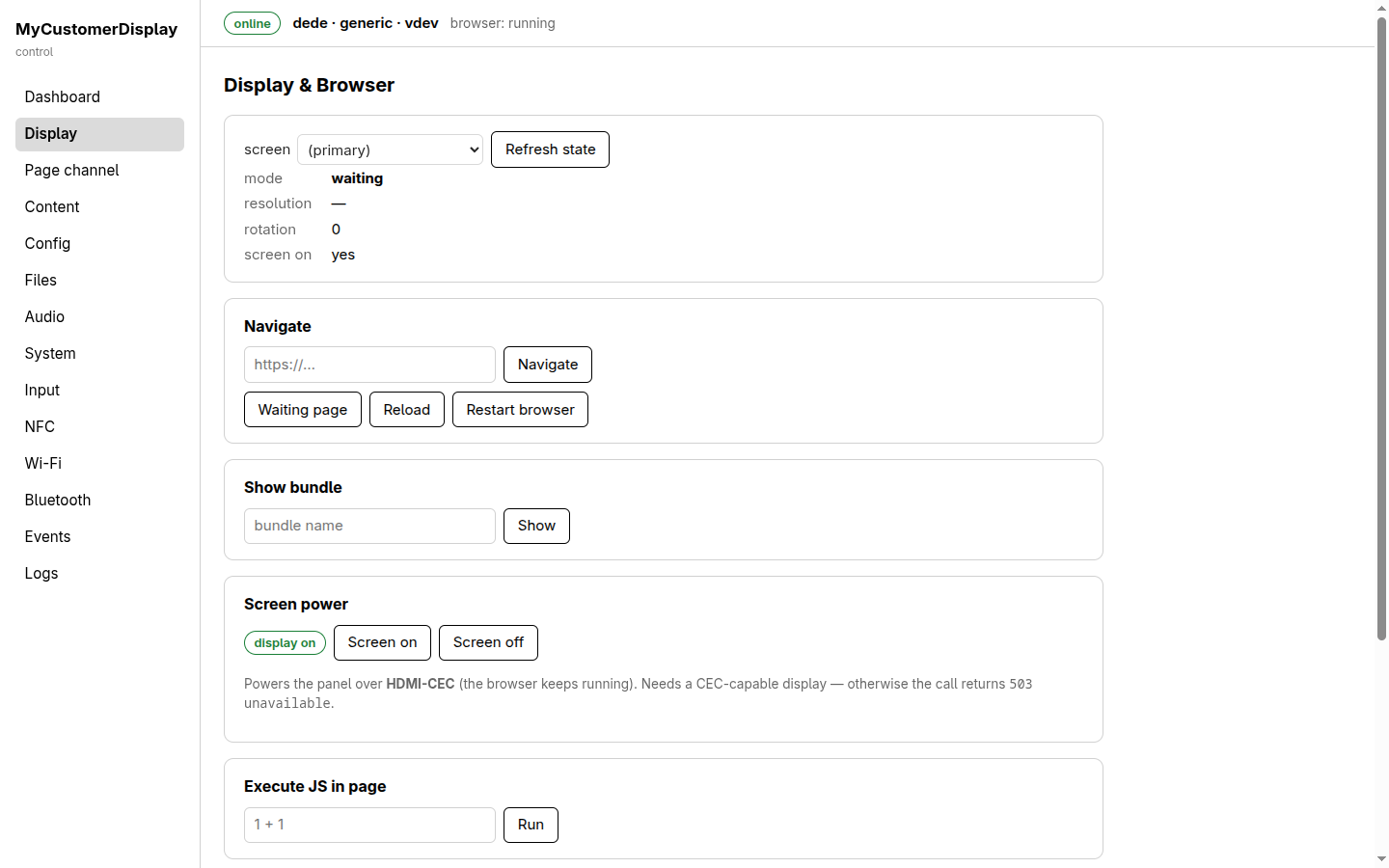
Everything from Displaying content in one place:
- Top card: the selected
screen(the primary screen selector for forward-compatibility with multi-screen boards), current mode/resolution/rotation/screen-on state, and a Refresh state button. - Navigate: a URL field plus Navigate, and quick actions Waiting page, Reload, Restart browser.
- Show bundle: display an already-uploaded bundle by name.
- Screen power: HDMI-CEC on/off toggle, with the note that it requires a CEC-capable display
or the call returns
503 unavailable. - Execute JS in page: a one-shot JS evaluation box against the currently displayed page (the blunt diagnostic tool — see Displaying content for when to prefer the page channel instead).
Page channel
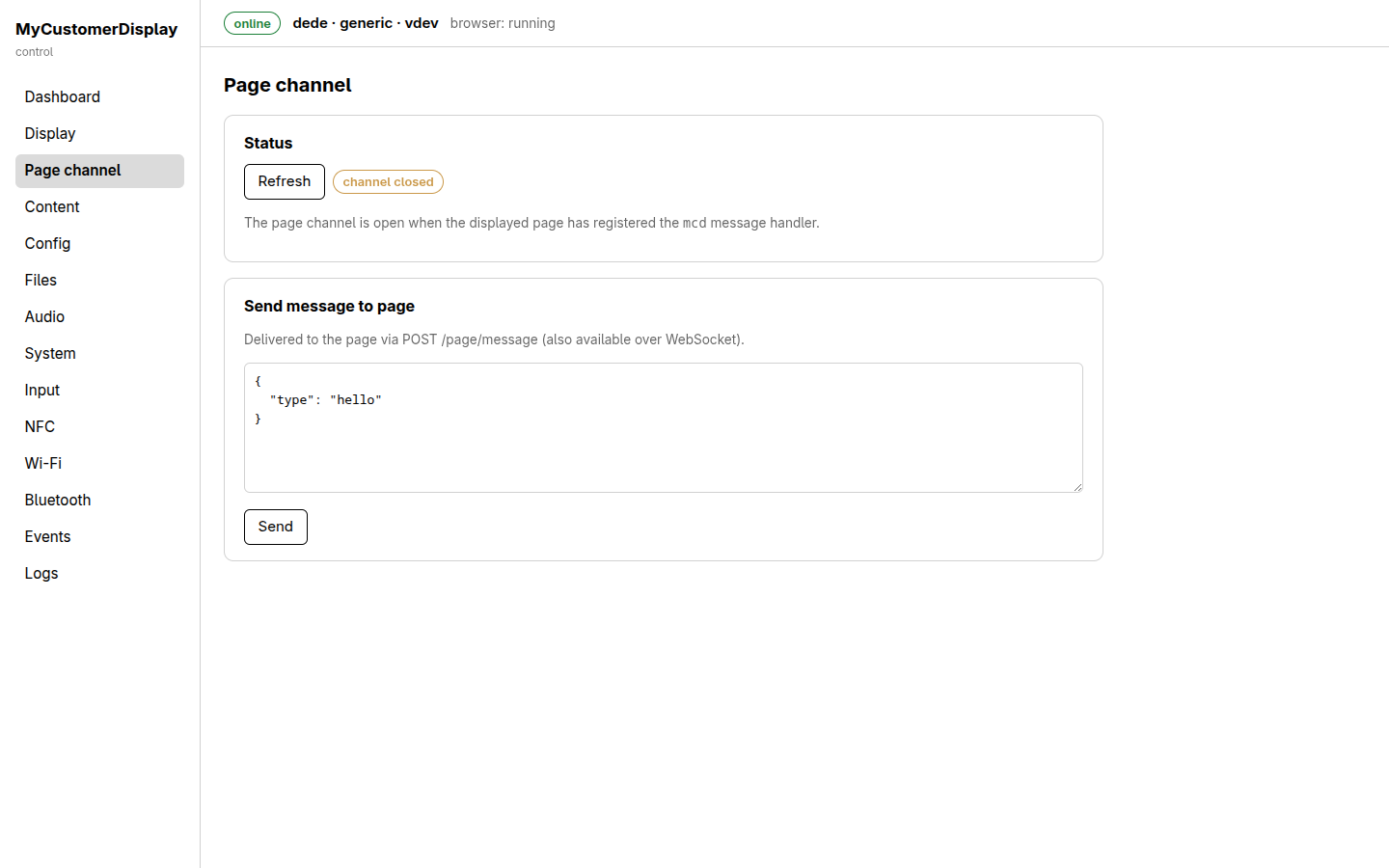
- Status: whether the currently displayed page has opened its
window.mcdchannel (channel closedin the screenshot — no page has registered the handler yet), with a Refresh button. - Send message to page: a JSON editor and Send button, delivering the payload to the page
via
POST /page/message(the same call documented in REST and WebSocket API) — useful for testing a page's message handler interactively before wiring up host code.
Content
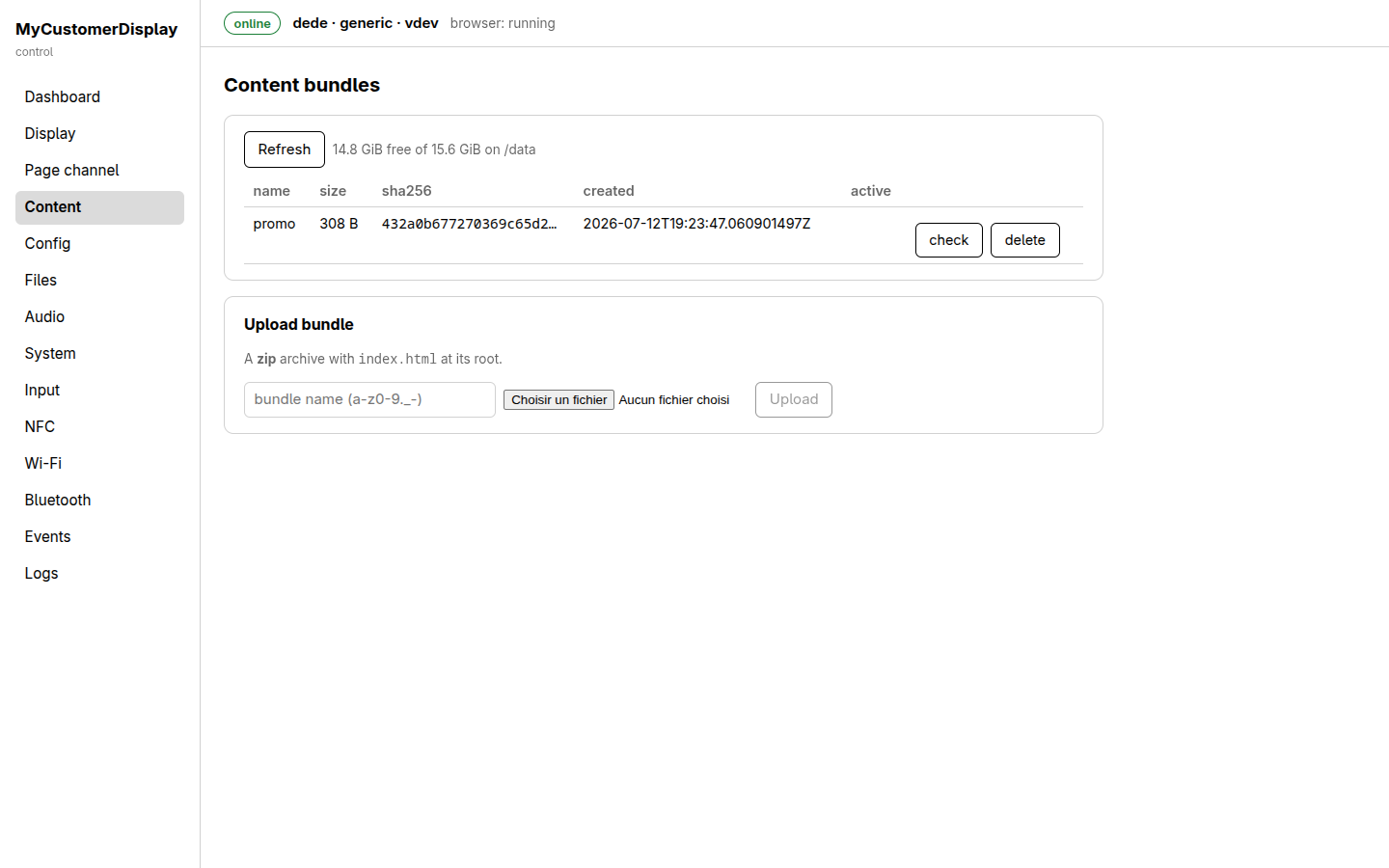
- Bundle table: every uploaded content bundle with its size, sha256, creation time, and whether it's currently active, plus per-row check (re-validate) and delete actions.
- Free-space indicator (
GiB free of GiB on /data) above the table. - Upload bundle: a name field (validated to the same
a-z0-9._-pattern the API enforces), a file picker for the.ziparchive, and Upload.
Config
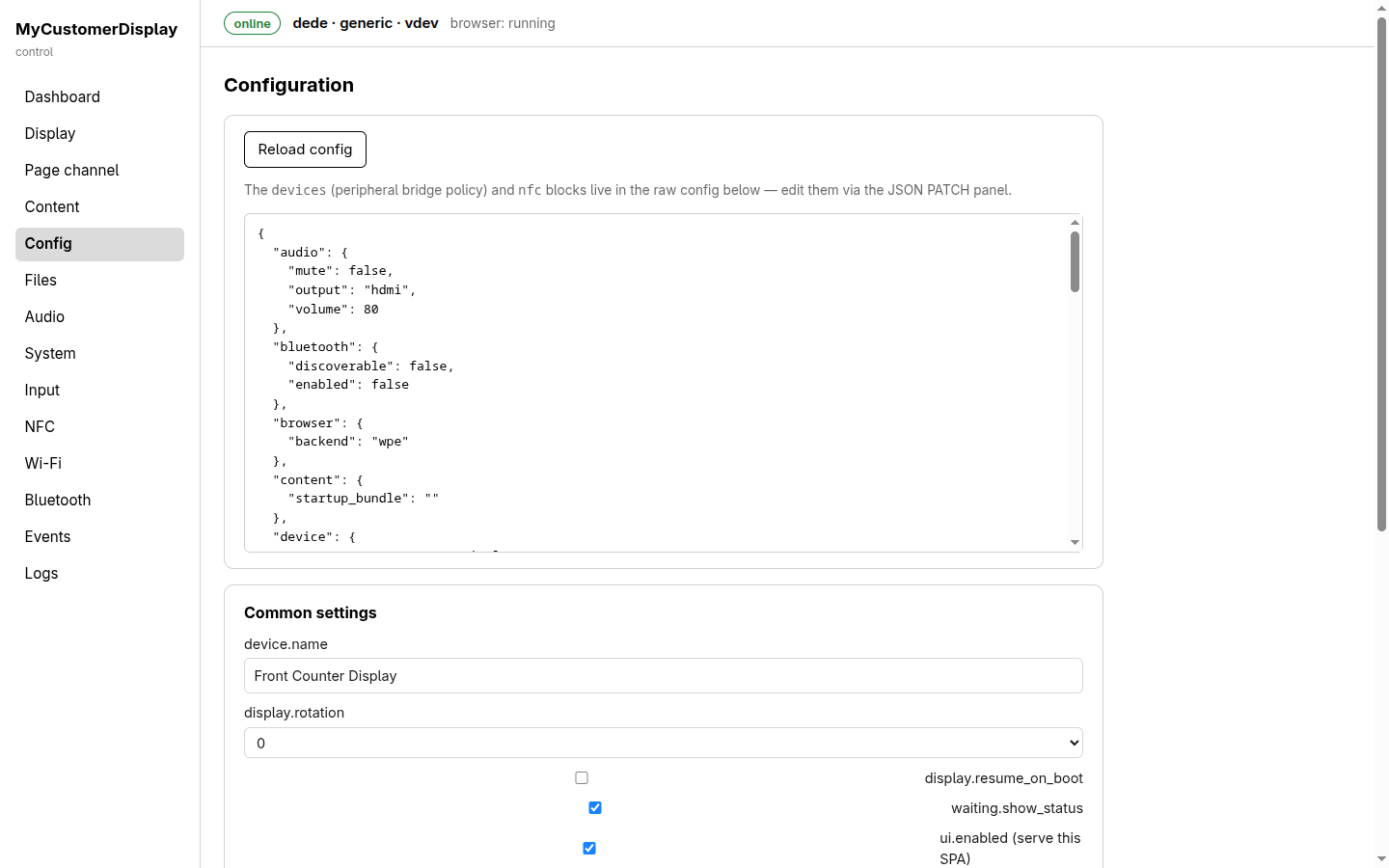
- A scrollable raw JSON view/editor of the full effective configuration document (the same
shape as
GET /config) — the note above it points out that a few blocks (devices,nfc) are only editable here, via direct JSON patch, since they don't have dedicated form fields yet. - Common settings form below it:
device.name,display.rotation, and checkboxes fordisplay.resume_on_boot,waiting.show_status,ui.enabled, and more further down the page — each maps directly to a field described in Configuration. - A Reload config button re-fetches from the device (useful after another host changes something).
Files
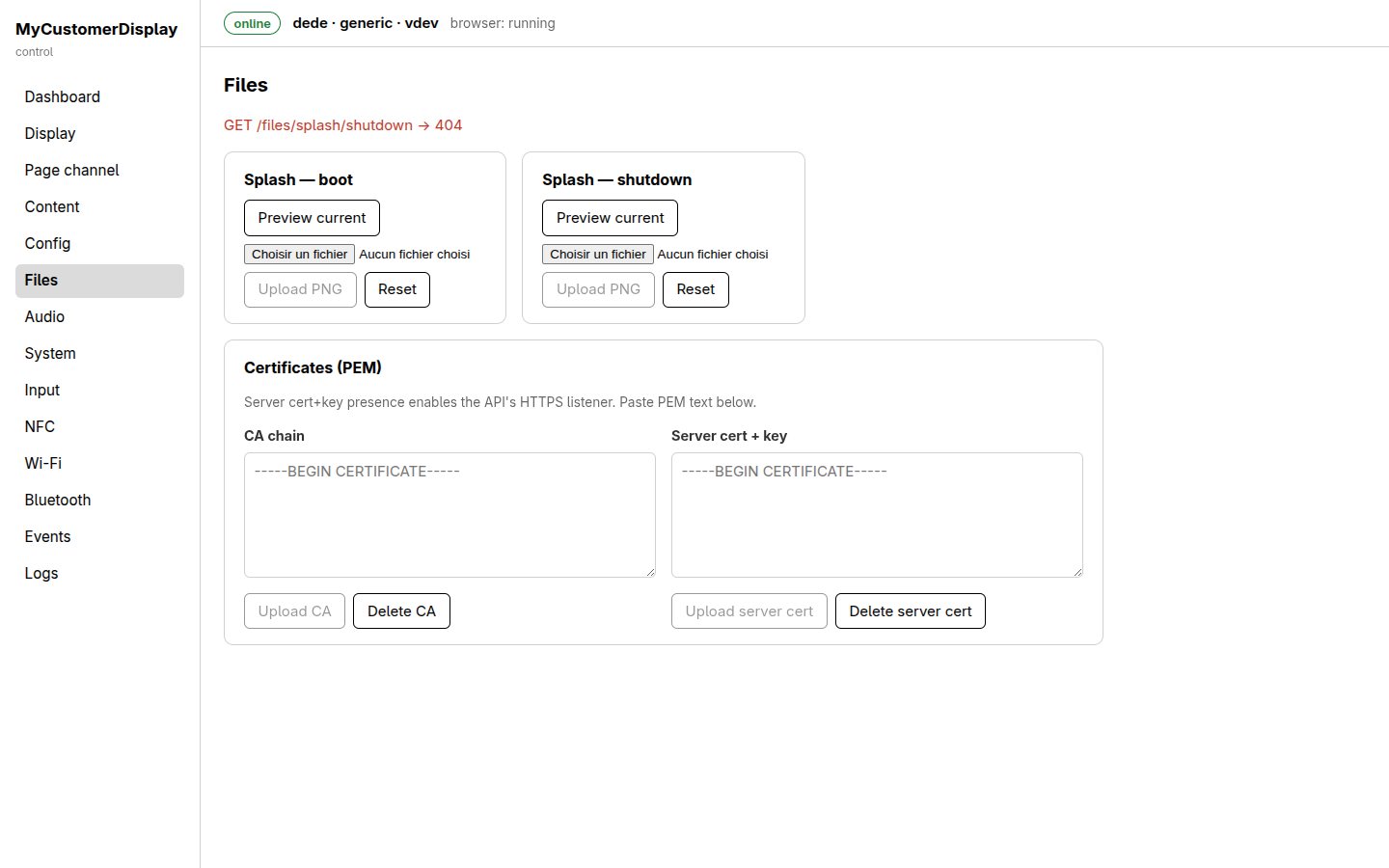
- Splash — boot / Splash — shutdown cards: Preview current, a file picker, Upload
PNG, and Reset (to the built-in default) — see Boot and shutdown splash.
A small red status line above the cards echoes the last API call the page made (here,
GET
  /files/splash/shutdown → 404
, meaning no shutdown image is currently uploaded and the built-in fallback is in effect — not an error you need to act on). - Certificates (PEM): CA chain and server cert+key text areas with Upload/Delete per
slot — uploading a server cert+key here is what turns on the API's HTTPS listener (
:443) alongside the always-available plain HTTP.
Audio
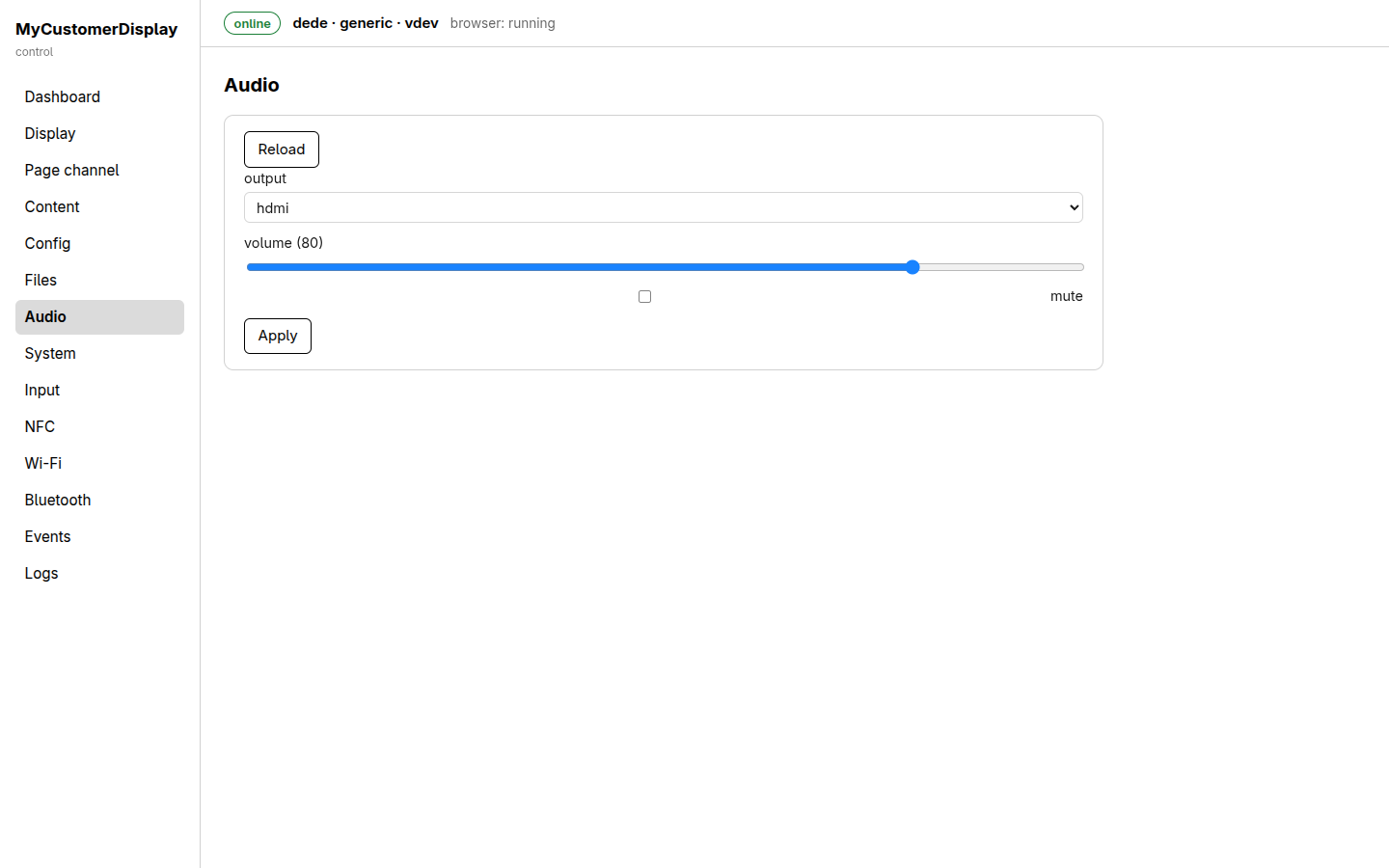
output selector (hdmi in v1), a volume slider with the live value in its label, a mute
checkbox, and Apply — a direct front-end for Audio; a Reload button
re-syncs the form with the device's current state.
System
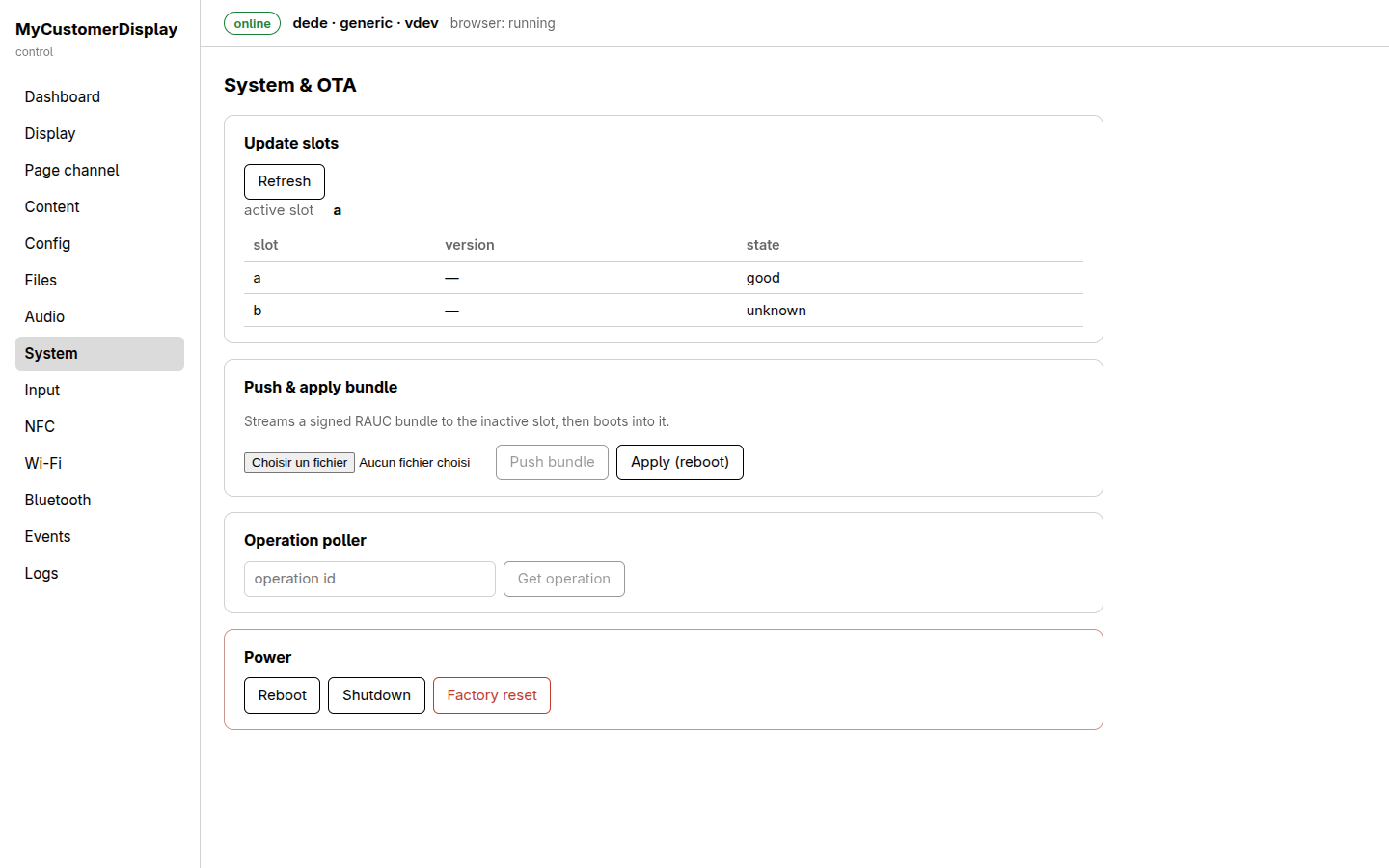
- Update slots: the active slot marker and a table of both slots' version/state (
good/unknown/etc.) — see Updates (OTA). - Push & apply bundle: a file picker for a signed
.raucbbundle, Push bundle (upload + install to the inactive slot) and Apply (reboot) as two separate steps, mirroring the API's deliberate split between upload and apply. - Operation poller: paste an
operation_id(returned by a long-running call) and fetch its status directly — a manual version of subscribing tooperationevents. - Power: Reboot, Shutdown, and Factory reset (visually set apart in a red-bordered box, since it's destructive) — see Factory reset.
Input
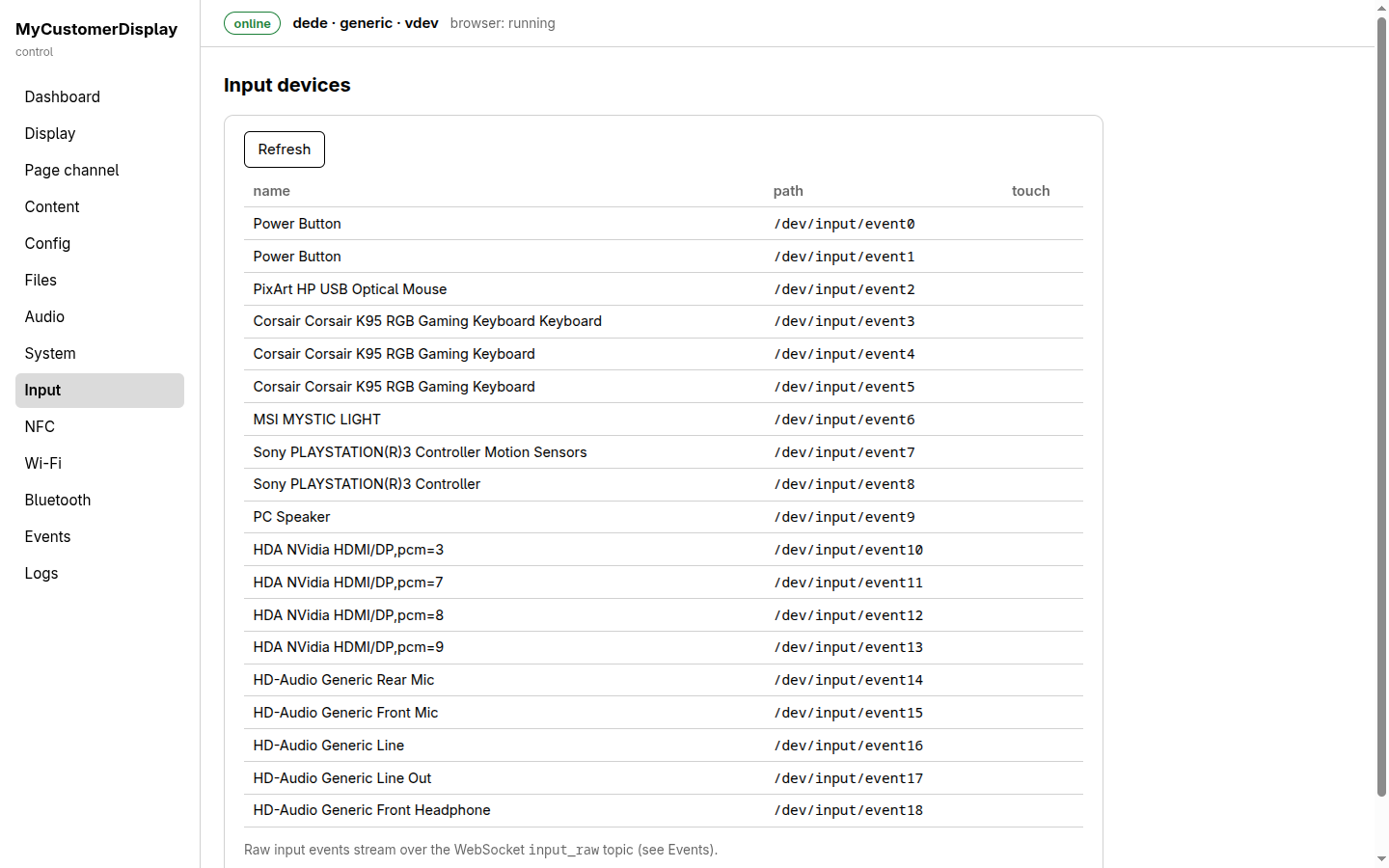
A read-only table of every input device the agent has detected under /dev/input (name, device
path, whether it reports as a touch device) — a diagnostic view for confirming a touchscreen or
other input hardware is recognized. The note at the bottom points out that the actual raw touch
events are not shown here — subscribe to the input_raw topic on the Events page
for a live stream of normalized touch points.
NFC
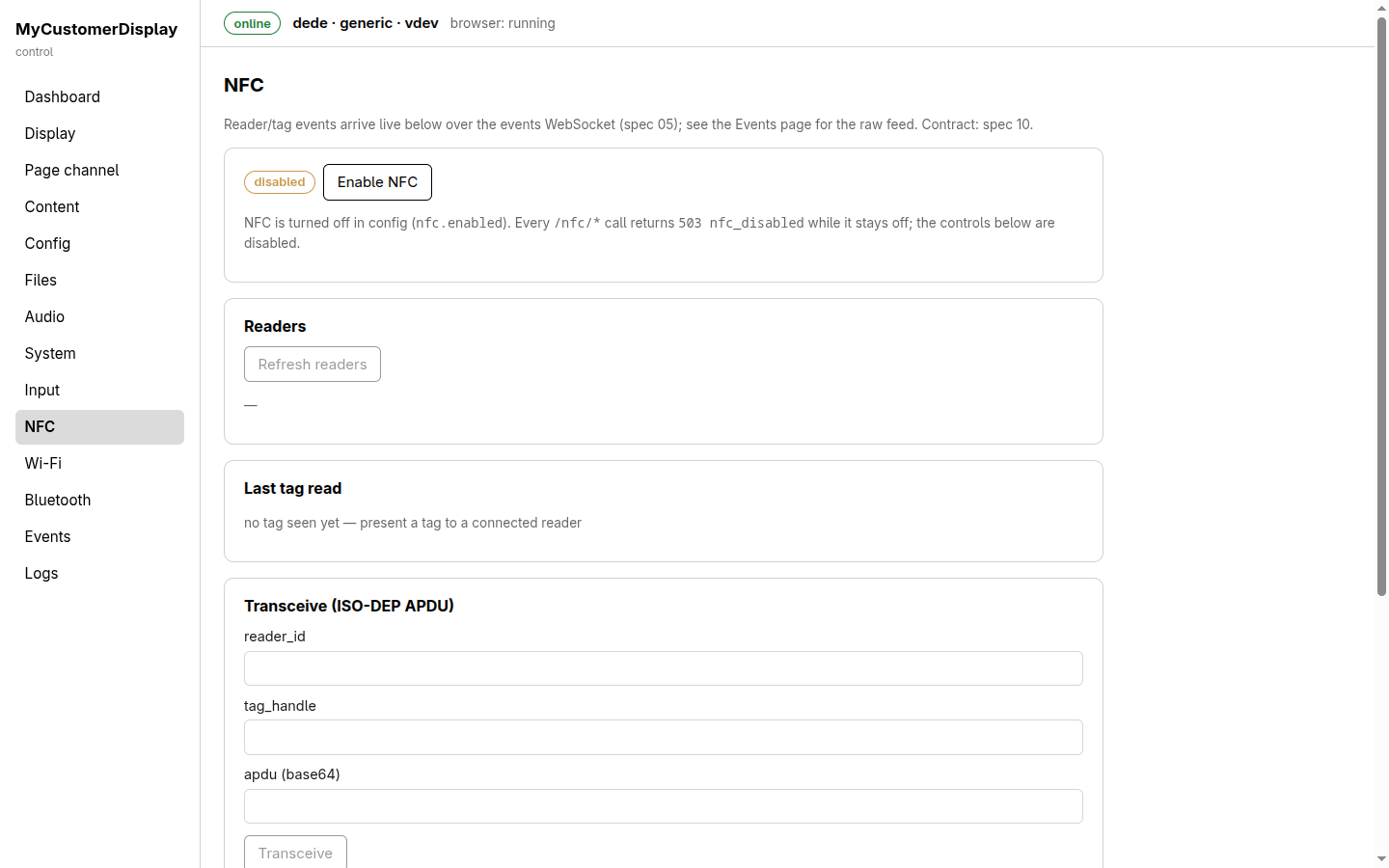
- A disabled/enabled status pill and Enable NFC toggle — while NFC is off, an explanatory note
confirms every
/nfc/*call answers503 nfc_disabledand the controls below are inert, exactly as documented in the NFC guide. - Readers: detected reader list with a Refresh readers button.
- Last tag read: the most recent tag arrival, or a placeholder when none has been seen yet.
- Transceive (ISO-DEP APDU): a manual form (
reader_id,tag_handle, base64apdu) for exercising the raw APDU exchange used by closed-loop token schemes — see NFC → raw APDU exchange.
Wi-Fi
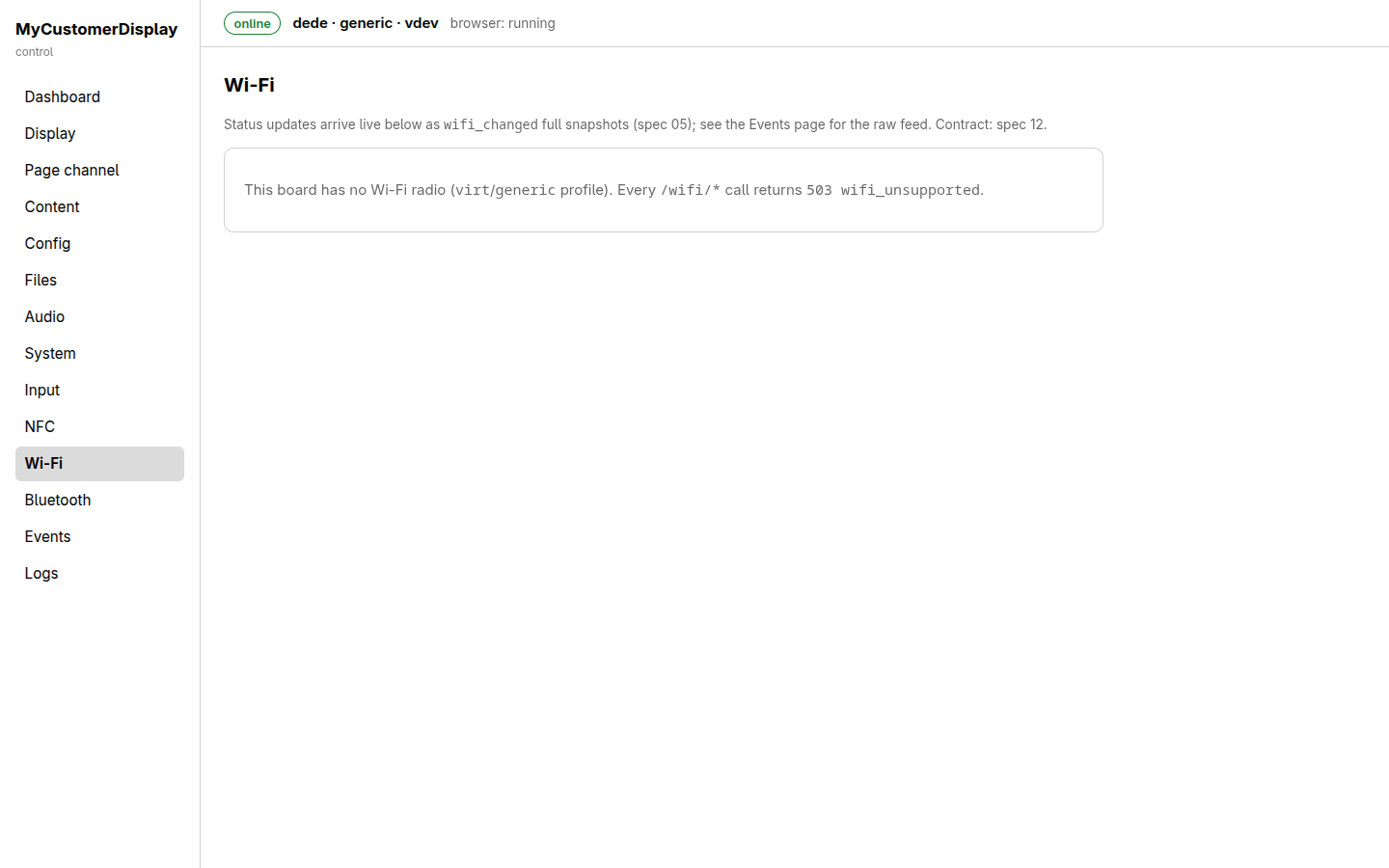
On a board without a Wi-Fi radio (like the virt/generic profile shown here), the page shows a
single explanatory banner (503 wifi_unsupported) instead of controls — there is nothing to
configure. On a Pi board with the radio present, this page exposes the same scan/connect/AP-mode
controls documented in the Wireless guide, with status updates arriving
live as wifi_changed snapshots.
Bluetooth
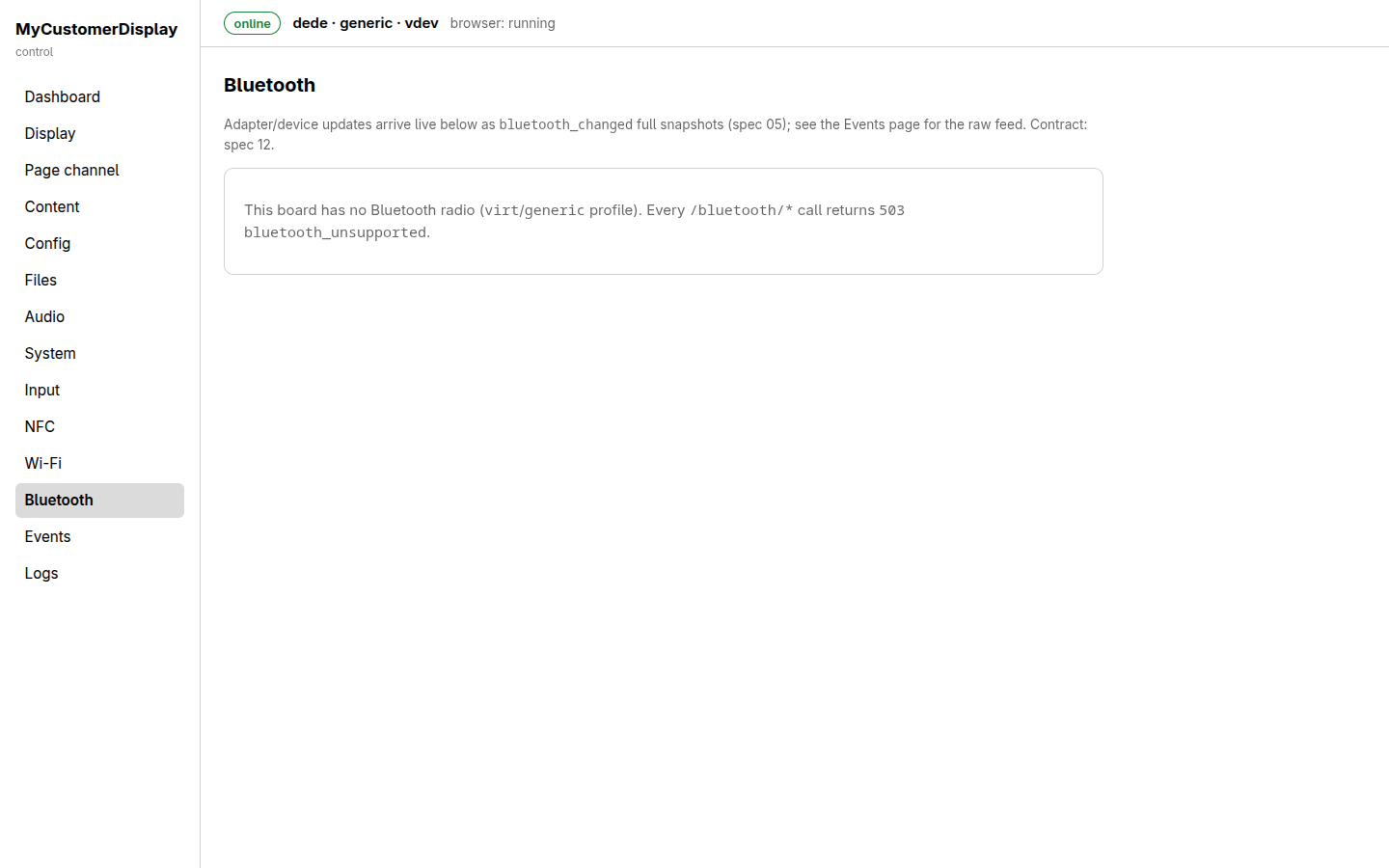
Same pattern as Wi-Fi: a 503 bluetooth_unsupported banner on a board with no radio. On
supported hardware this page exposes power/discoverable toggles and scan/pair/remove controls —
see Wireless → Bluetooth.
Events
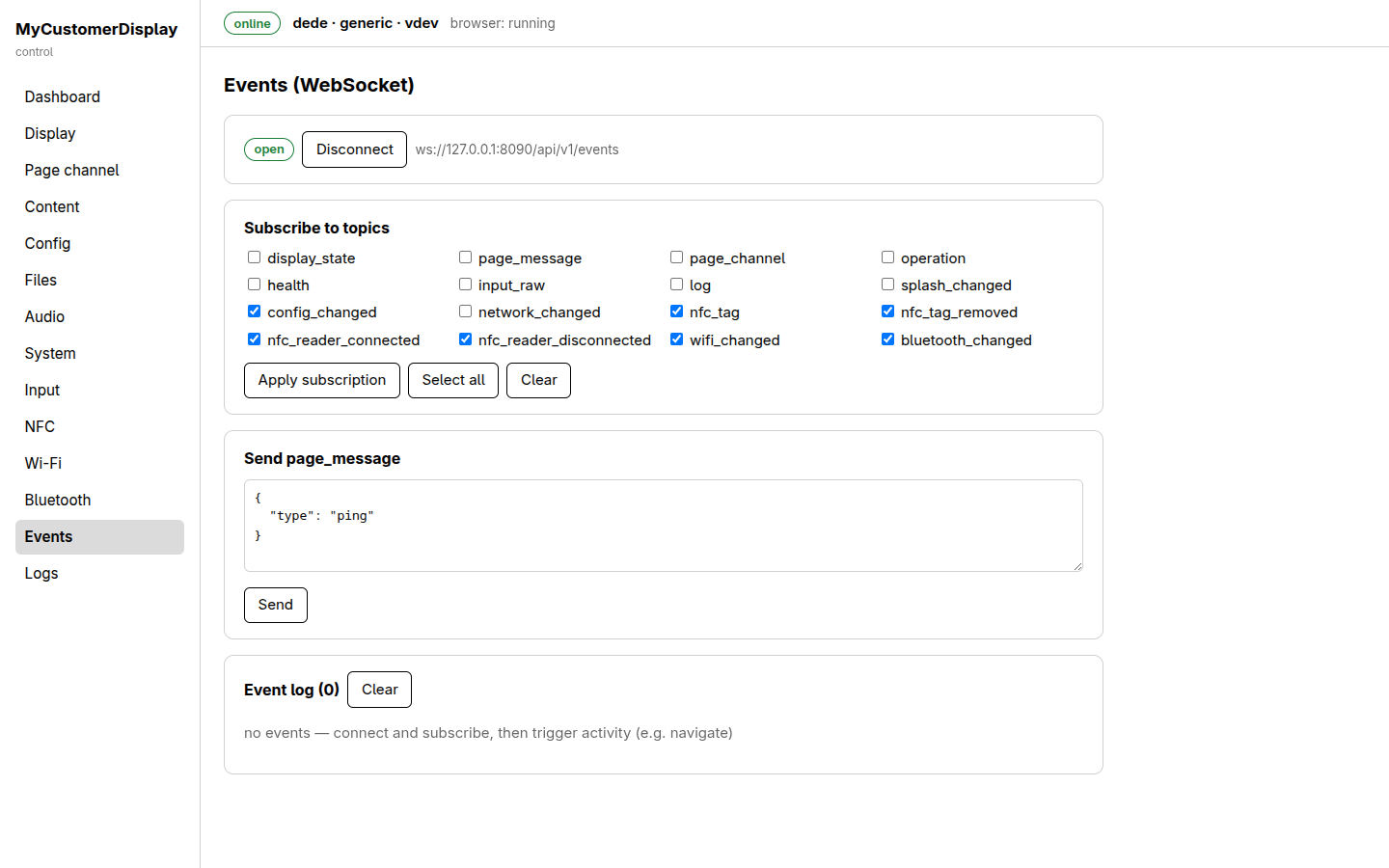
A live interactive client for the device's event stream:
- Connection bar: open/closed indicator, Disconnect, and the WebSocket URL in use.
- Subscribe to topics: one checkbox per topic (
display_state,page_message,page_channel,operation,health,input_raw,log,splash_changed,config_changed,network_changed, and the NFC/Wi-Fi/Bluetooth topics), Apply subscription, Select all, Clear. - Send page_message: the same page-channel send capability as the Page channel page, offered here too since it's symmetric with receiving events.
- Event log: a running, clearable list of every event received since connecting — this is the fastest way to see exactly what the device emits while you exercise it from elsewhere (curl, your own host application, or another tab of this UI).
Logs
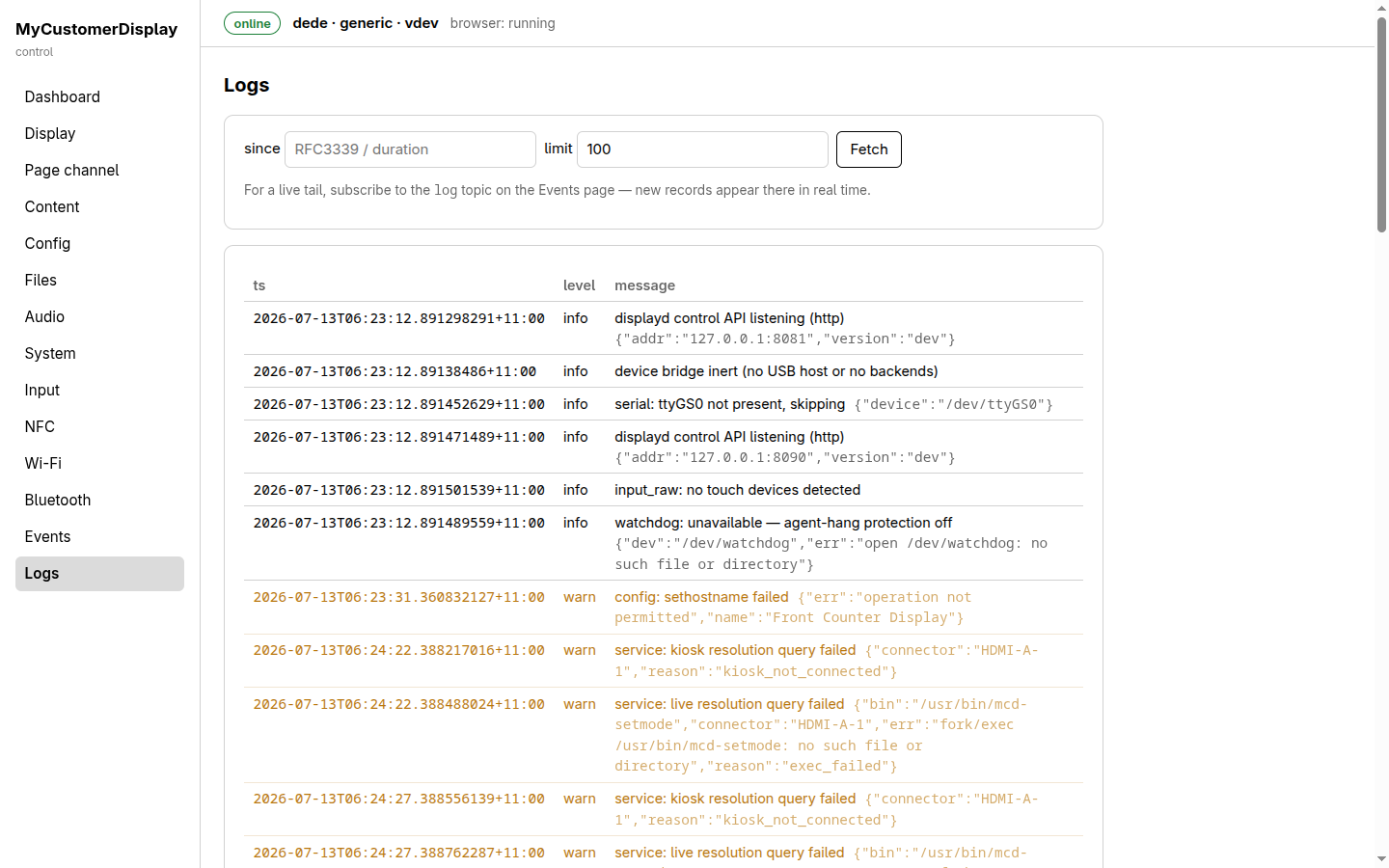
A query form (since — RFC 3339 timestamp or a relative duration — and limit, default 100) plus
Fetch, against GET /device/logs, and a table of structured log records (timestamp, level,
message, plus any structured fields) color-coded by level (info in gray, warn in amber, and
so on). For a continuously updating tail instead of point-in-time fetches, subscribe to the log
topic on the Events page instead.
See also
- API overview — the REST/WebSocket contract this UI is a client of.
- Every guide under Guides in the navigation documents the underlying API calls in more depth than this page-by-page tour.